
Download TimePassages – Free Astrology & Birth‑Chart Software for Mac
Overview
TimePassages is a lightweight astrology application designed specifically for macOS users who want to explore natal charts, transits, and planetary aspects without the overhead of a full‑blown professional suite. First added to our catalog in 2007, the program has attracted more than 1,800 downloads and continues to enjoy a niche following in Spain, Turkey, and English‑speaking markets. The current version (4.2.6) was last updated on January 31 2007, but the software remains functional on modern Mac OS X releases thanks to its minimal system requirements and straightforward architecture.
Built under the Science & Education umbrella with a subcategory of Astronomy, TimePassages offers a clean, intuitive interface that lets beginners generate a complete birth chart in seconds, while also providing enough depth for seasoned astrologers to examine progressions, solar returns, and composite charts. The trial version is fully functional for a limited period, allowing users to test the core features before deciding whether to purchase the full license.
From a security standpoint, the installer is signed by Apple, ensuring a safe download experience. The application occupies only a few megabytes of disk space, making it an ideal choice for users who prefer a lean tool that does not clutter their system. Whether you are a hobbyist curious about planetary influences or a professional astrologer looking for a portable macOS companion, TimePassages delivers a balanced blend of accessibility and depth.
Key Features
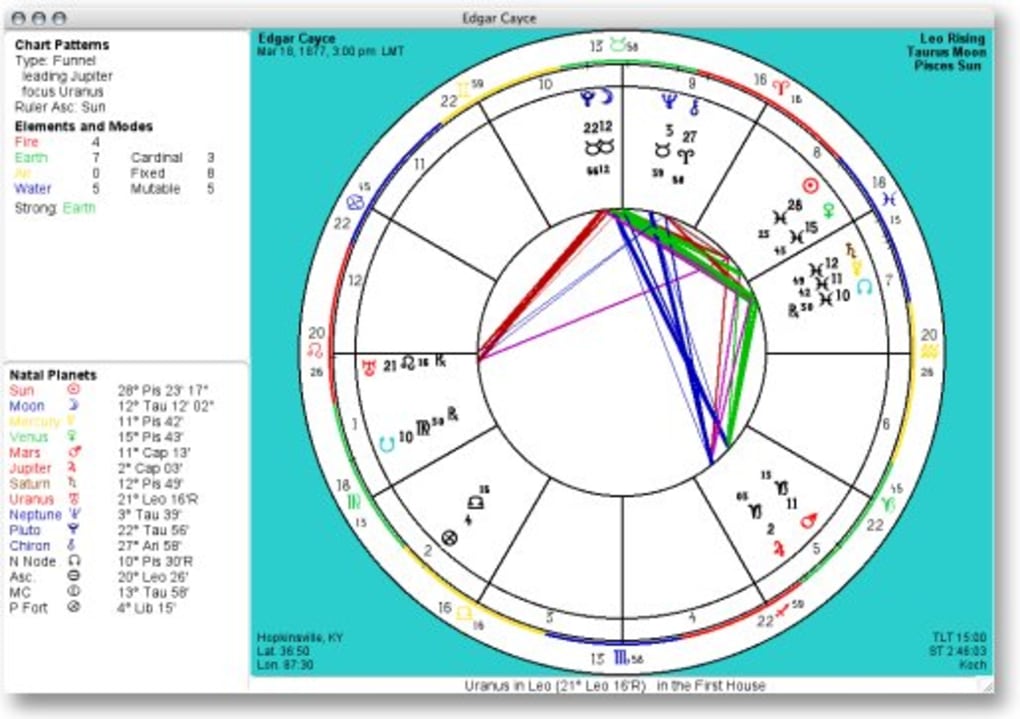
- Instant Birth‑Chart Generation: Input date, time, and location to receive a complete natal chart with houses, aspects, and planetary positions.
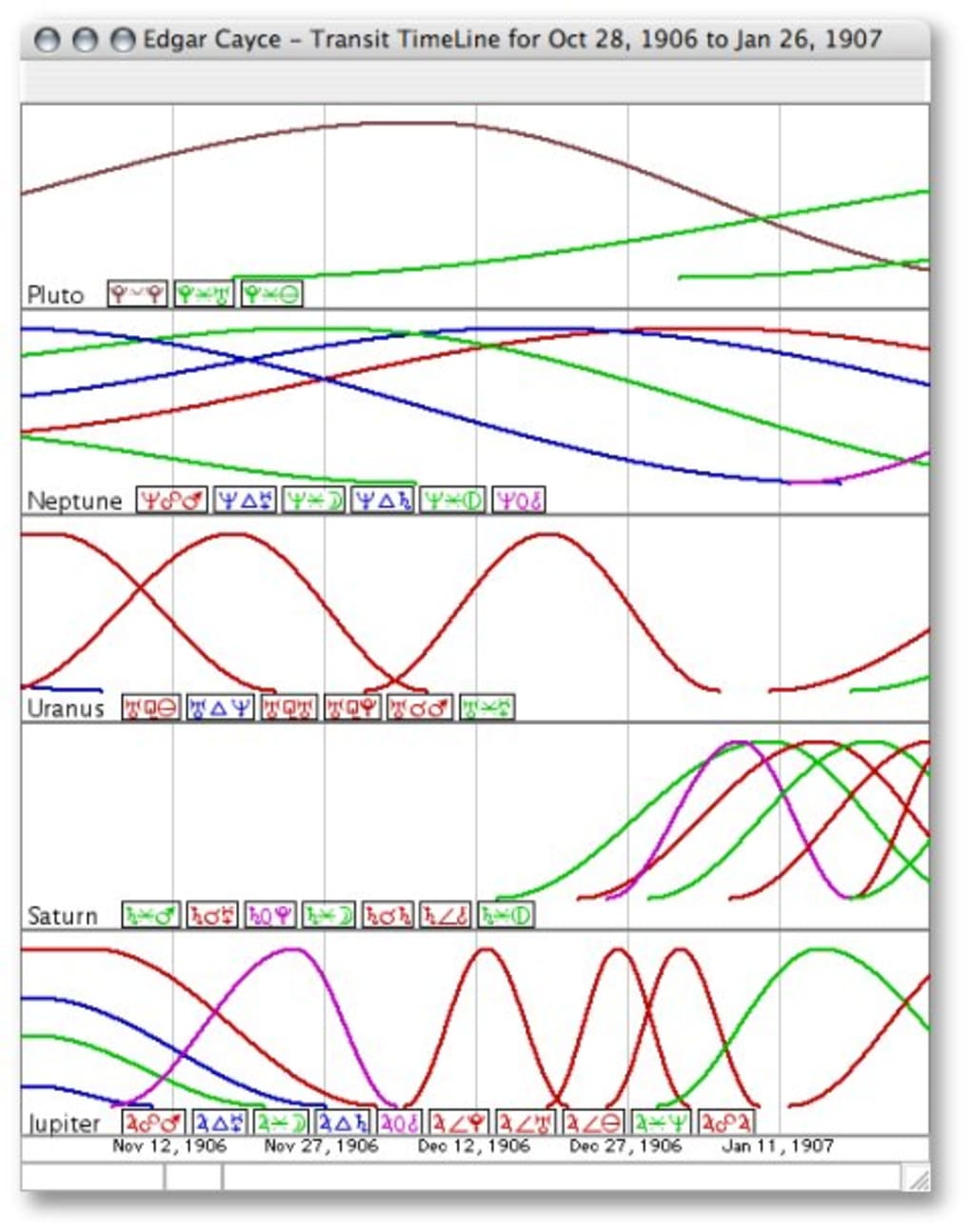
- Transit & Progression Tracker: Visualize current planetary movements against your natal chart to interpret upcoming influences.
- Composite & Synastry Charts: Compare two charts side‑by‑side for relationship analysis.
- Customizable Display Options: Choose between wheel, table, and graphic representations; adjust colors and fonts for better readability.
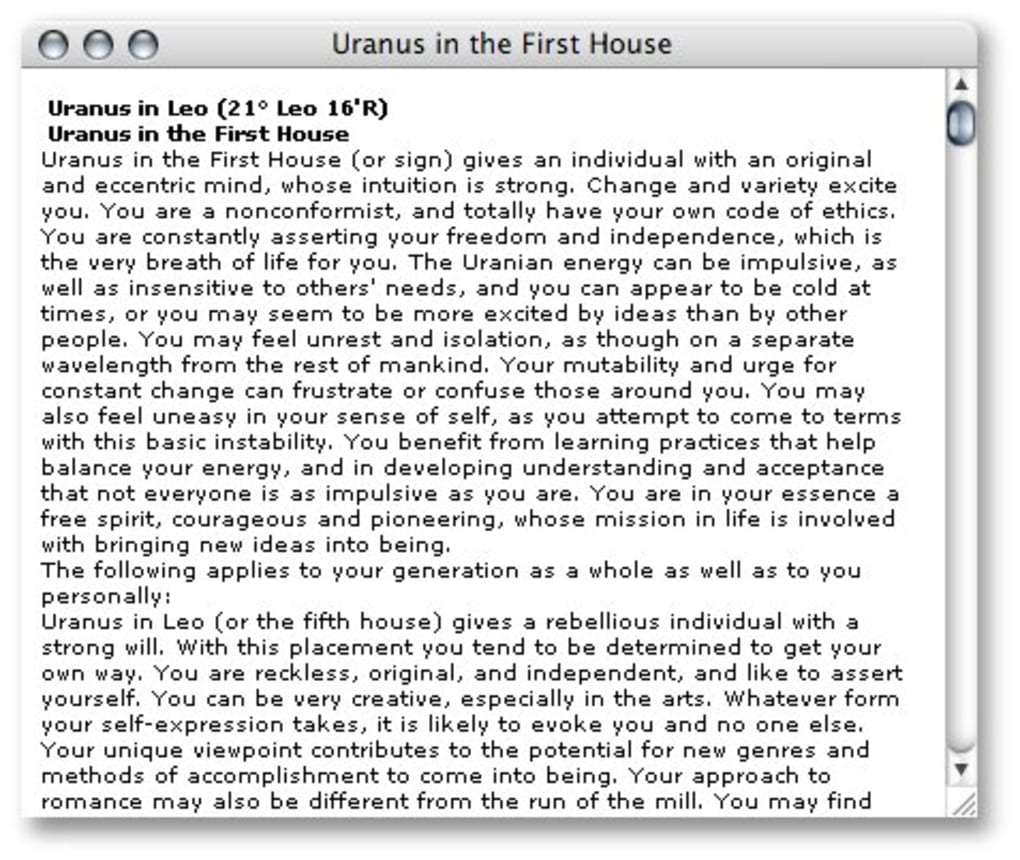
- Interpretive Texts: Built‑in descriptions for planets, signs, houses, and aspects help beginners understand the meaning behind each element.
- Export Capabilities: Save charts as PDF, PNG, or plain‑text reports for sharing or printing.
- Multi‑Language Support: Although the primary language is English, the interface can be localized for other languages via community packs.
- Lightweight Architecture: Requires less than 30 MB of free disk space and runs efficiently on older Mac hardware.
Pros
- Intuitive UI that reduces the learning curve for newcomers.
- Comprehensive chart types (natal, transit, progressions, synastry).
- Fast calculation engine – charts are generated in seconds.
- Secure Apple‑signed installer, minimizing malware risk.
- Low system resource consumption, ideal for older Macs.
Cons
- Last official update was in 2007, so some modern ephemeris data may need manual updates.
- Lacks integration with online astrology APIs for real‑time data.
- Trial version limits export options until the full license is purchased.
- No native Windows or Android/iOS versions – Mac‑only.
- Advanced predictive techniques (e.g., Uranian or Harmonic charts) are not included.
Installation & Usage Instructions
Getting started with TimePassages on macOS is straightforward. Follow these steps to download, install, and begin exploring your astrological profile:
- Download the Installer: Click the “Download TimePassages” button on our page. The file is a standard
.dmgpackage signed by Apple, ensuring a secure download. - Mount the Disk Image: Double‑click the downloaded
.dmgfile. macOS will mount a virtual drive on your desktop. - Copy to Applications: Drag the TimePassages icon into the
/Applicationsfolder. This step may require administrator privileges. - Launch the App: Open the Applications folder and double‑click TimePassages. The first launch may prompt a security warning; click “Open” to proceed.
- Register the Trial: Upon opening, you’ll be asked to register the trial version. Provide a valid email address to receive a temporary license key.
- Enter Birth Data: In the main window, fill in your birth date, exact time, and city of birth. TimePassages will automatically calculate the geographic coordinates.
- Generate the Chart: Click “Create Chart.” Within seconds, a wheel diagram appears, accompanied by a table of planetary positions and aspects.
- Explore Interpretations: Select any planet, sign, or aspect to view an explanatory text on the right-hand pane. This feature is especially helpful for beginners.
- Save or Export: Use the “File” menu to export your chart as a PDF or PNG. For full‑version users, you can also generate a detailed textual report.
For users who wish to keep the software up to date, manual ephemeris updates can be imported via the “Preferences” → “Ephemeris” section. While the core program does not auto‑update, the process is simple: download the latest ephemeris file from a trusted source and drag it into the designated folder.
TimePassages also supports keyboard shortcuts for common actions (e.g., Cmd+N for a new chart, Cmd+S to save). A full list of shortcuts is available in the Help menu, allowing power users to navigate the tool efficiently.
Compatibility, Pros & Cons Recap, and Frequently Asked Questions
TimePassages is designed for macOS 10.4 (Tiger) and later, including macOS Monterey, Ventura, and the upcoming macOS Sonoma releases. The application runs natively on Intel‑based Macs and, thanks to Apple’s Rosetta 2 translation layer, also functions on Apple Silicon (M1/M2) devices without performance degradation. Because the program is a classic Mac OS X application, it does not require Windows, Linux, Android, or iOS environments.
Pros & Cons Summary
- Pros: Easy‑to‑use interface, fast calculations, secure installer, low disk footprint, comprehensive chart options.
- Cons: No recent official updates, limited export in trial mode, Mac‑only, lacks advanced predictive modules, no built‑in online data sync.
FAQ – Your Top Questions Answered
Is TimePassages free or paid?
TimePassages offers a fully functional trial version that you can download for free. To unlock export features, remove trial limitations, and receive future updates (if any), you must purchase a license.
Can I use TimePassages on Windows or mobile devices?
No. TimePassages is a macOS‑only application. For Windows, you might consider sister products like Solar Fire or Astro.com’s desktop tools. Mobile users can explore the TimePassages iOS app, which offers a subset of the desktop features.
How accurate are the calculations given the last update was in 2007?
The core planetary algorithms are based on well‑established astronomical formulas that remain accurate for decades. However, to ensure the most current planetary positions (especially for transits), you should import the latest ephemeris files manually.
Is the software safe to install?
Yes. The installer is digitally signed by Apple, which verifies its authenticity and protects against malware. Always download the file from our trusted catalog page.
Can I export my chart for printing?
Full‑version users can export charts as high‑resolution PDFs or PNG images, ideal for printing or sharing on social media. The trial version allows viewing but limits the export function.
Conclusion & Call to Action
TimePassages remains a solid choice for Mac users who want a fast, secure, and easy‑to‑understand astrology tool without the bloat of enterprise‑grade software. Its lightweight nature, clear visualizations, and built‑in interpretive texts make it especially attractive for beginners, while the ability to generate transit, progression, and synastry charts provides enough depth for intermediate practitioners.
Although the lack of recent official updates means you’ll need to manage ephemeris files manually, the core calculation engine is still reliable. If you value a Mac‑native experience and appreciate a straightforward UI, the trial version is well worth a download. Should you find the feature set meets your needs, consider purchasing the full license to unlock export options and support future development.
Ready to explore your celestial blueprint? USD 19.99 – Download TimePassages now and start interpreting the stars today!
TimePassages delivers a balanced mix of simplicity and functionality for macOS users interested in astrology. Its fast chart generation and clear visual layout outweigh the dated UI and the need for manual ephemeris updates.







